Searching for the ChatGPT official app and not sure which one in the app store is actually real? That’s a fair question — fake copycat apps built around ChatGPT’s name have been a well-documented problem since the chatbot first went viral, tricking people into paying monthly subscriptions for something that’s genuinely free. This article confirms the real ChatGPT official app, explains exactly how the fake versions work, and shows you how to tell them apart in a few seconds. See more app and website safety checks on our Apps reviews page.
ChatGPT Official App: Confirmed Details
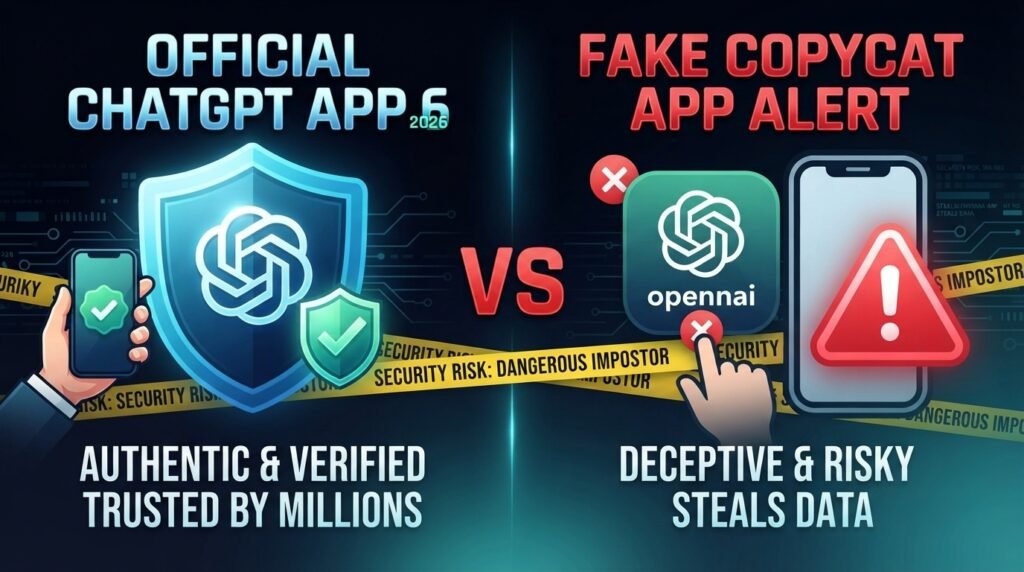
The genuine ChatGPT official app is published by OpenAI — specifically listed under the developer name “OpenAI OpCo, LLC” — and is available on both the Apple App Store and Google Play Store. It’s free to download and use, with optional paid tiers (like ChatGPT Plus) for extra features, but the core chatbot is free for anyone. On Android, its package name is com.openai.chatgpt, and it has been installed over a billion times, making it one of the most downloaded apps in its category.
You can also always access ChatGPT for free through a web browser at chatgpt.com without installing anything at all — a useful fact to remember, since it means you never actually need to pay just to try the chatbot.
ChatGPT Official App: Why Fake Copycats Became Such a Problem
When ChatGPT first exploded in popularity, OpenAI hadn’t yet released its own official mobile app — and that gap created an opening. Security researchers at Sophos investigated this directly and uncovered a wave of so-called “fleeceware” apps: programs that mimic a popular free service and then quietly charge users expensive subscriptions once a free trial ends. Sophos researchers put it simply, describing fleeceware as “something that charges an extraordinary amount of money for a feature that is available freely or at very low cost elsewhere.”
In their investigation, Sophos found apps with names deliberately close to “ChatGPT” — including one literally called “Chat GBT” — designed to benefit from people mistyping or skimming the real name. These apps charged anywhere from $10 a month to $70 a year, for functionality that, at best, loosely resembled the real chatbot, and at worst did very little at all. Other examples documented by researchers and journalists included names like “Open Chat GBT,” “AI Chat GBT,” and “ChatGPT – AI Chat, AI Friend” — all unconnected to OpenAI despite trading on its name.
These apps also commonly inflated their own ratings using fake reviews and aggressively prompted users to rate them before they’d even finished the free trial, making it harder for other users to spot the warning signs in genuine reviews.
ChatGPT Official App vs Fake Copycats: Quick Comparison
| Signal | Genuine ChatGPT official app | Fake copycat apps |
|---|---|---|
| Developer name | OpenAI (OpenAI OpCo, LLC) | Unknown or unrelated developer names |
| Core cost | Free to use, with optional paid plans for extra features | Often demands payment just to access basic chat features |
| App name | Simply “ChatGPT” | Close variations like “Chat GBT,” “Open Chat GBT,” or names with extra words added |
| Reviews | Large volume of organic reviews over time | Suspiciously uniform five-star reviews, or prompts to rate before you’ve used the app |
How to Find the Real ChatGPT Official App
- Open the App Store or Google Play and search simply for “ChatGPT.”
- Check the developer name listed under the app title — it should say OpenAI (or “OpenAI OpCo, LLC”).
- Confirm the app is free to download, with ChatGPT’s core chat features usable without an upfront payment.
- If in doubt, skip the app entirely and use chatgpt.com in your mobile browser instead — it’s the same free chatbot, with zero risk of downloading the wrong app.
- If you’ve already subscribed to a fake app, simply deleting it will not cancel the subscription — you need to cancel it through your App Store or Google Play account’s subscription settings directly.
What to Do If You’ve Already Paid for a Fake ChatGPT App
First, cancel the subscription through your phone’s app store settings (Apple ID subscriptions on iOS, or Google Play subscriptions on Android) — deleting the app alone does not stop future charges. If you believe you were deliberately deceived or the charges were unusually aggressive, you can also report it: on Google Play, open the app’s listing, tap the three-dot menu, and select “Flag as inappropriate,” choosing “Copycat or impersonation” as the reason. On the App Store, open the listing, scroll to “Report a Problem,” and select “Report a scam or fraud.” If money was taken without your clear consent, you can also report it at cybercrime.gov.in or call the national cybercrime helpline, 1930.
Final Word on the ChatGPT Official App
ChatGPT’s genuine popularity is exactly what made it such an attractive target for fleeceware developers, and the core lesson holds regardless of which AI tool is trending next: always check the developer name before downloading, and remember that a service free on the web rarely needs a paid app just to access the same thing. Bookmark chatgpt.com directly, confirm “OpenAI” as the developer before installing any app, and cancel properly through your app store settings if you’ve already been caught out. Read our disclaimer for how we present safety information like this.
Want us to check another app or website? Request a review.
FAQs
What is the ChatGPT official app?
The genuine ChatGPT official app is published by OpenAI (listed as “OpenAI OpCo, LLC”), available free on the App Store and Google Play, with the Android package name com.openai.chatgpt.
Do I have to pay to use ChatGPT?
No. The core ChatGPT chatbot is free to use, both on the official app and at chatgpt.com. Paid tiers like ChatGPT Plus exist only for extra features, not basic access.
How do fake ChatGPT apps make money?
Security researchers at Sophos identified these as “fleeceware” apps — they lure users in with a free trial, then charge expensive recurring subscriptions, sometimes $10 a month or more, for features available free elsewhere.
I already paid for a fake ChatGPT app. What should I do?
Cancel the subscription directly through your App Store or Google Play account settings — deleting the app alone won’t stop the charges. You can also report the app as a copycat or impersonation through the store’s reporting tools.